
As the lead designer, my mission was to blend calling, messaging, and collaboration tools into the existing BlueJeans meetings for a unified platform. Despite challenges like time constraints and limited resources, the soft launch at Verizon earned praise for its user-friendly design and seamless integration with the BlueJeans app.
Overview

Calling & Recordings
Track calls, listen to voicemail, read transcriptions. Provide rich PBX functionalities including OTT calling and PSTN.
Global Search
Find everything in one place. Instantly search across all messages, files, meetings and contacts.
Team Messaging
Keep conversations going out-of-meetings in 1:1, group and private or open channels with file and media sharing.
Contacts
Connect colleagues or personal contacts in one place. User can view and manage contacts as wish.
Multi-Tasking & Video Meetings
Online meetings with high quality audio/video and a set of advanced collaboration tools.
Timeframe
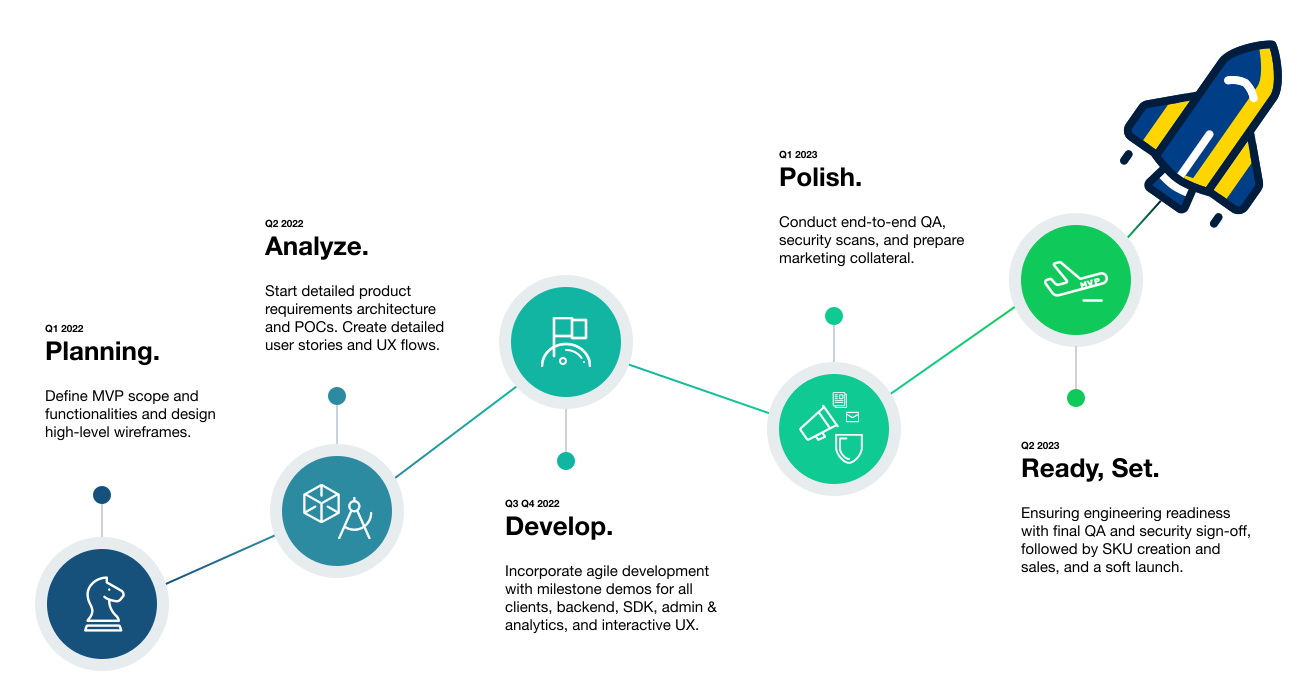
Estimated: Q1 2022 ~ Q2 2023 soft launch
Competitor Analysis
Source: G2 Crowd / Gartner / Google Play / App Store (Aug 2011 ~ Feb 2022)
 RingCentral
- Intuitive & Consolidated
- Calling & recording are heavily used
- Unclear message category
- Limited phone capabilities
- Short recording period
646 Samples
 Microsoft Teams
- Manage, track & organize
- Emojis & GIF creates a fun friendly environment
- Reliable service
- Flexibility & Customization
- Limited chat functionality
- Chat visibility issues
1250 Samples
 WebEx
WebEx
- HD Quality
- Excellent security & privacy
- Small recording size saves data usage and retain quality
- Poor screen share performance
- High bandwidth consumption
610 Samples
 Zoom
Zoom
- Simple & User Friendly
- Emojis/GIF friendly environment
- Privacy Concern
- Lack of chat visibility
600 Samples
 8x8
8x8
- Easy to record and track calls
- Good security measures
- Flexibility & Customization
- Unreliable - unable to receive calls even with good service which led some to terminate
- Poor customer support
391 Samples
 Verizon One Talk
- Good Price
- Mobility & Management
- Missing or delayed messages, notifications
- Poor Performance
- Limited Functionality
- UI Complexity
297 Samples
Takeaways
 Messaging
- One to One
- Group Messaging
- Channels
- File Transfers
- Search Messages
- Social Presence
- SMS
 Calling
- Inbound/Outbound
- Call Recording
- Voicemail
- Transcript
- PBX Functionalities
- Notification
- PSTN
 Video Meeting
- Screen Sharing
- Dolby Voice
- Meeting Widget
- Calendar Integration
- Breakout Sessions
- Smart Meetings
- Collab Board
 Contacts
- Contact List
- Contact Information
- Customized field
- Searchable
- Quick Contact Card
- Favorite Contact
- Enterprise Size Dependence
 Global Search
- Filters
- Message keywords
- Call log
- Recordings
- Meeting history
- Media and files
- Contacts
Differentiators

Better with Verizon
- Built on reliable performance
- Trusted security
- Optimal audio/video quality
- Reliable connection & higher bandwidth

Mobile First
- Mobile centric experience
- More value at low cost
- Highest audio/video reliability

User Friendly
- Ease of use
- Smooth deployment

Feature Rich
- Customizable
- Integral widget for multi-tasking
- Real-time analytics and reporting
- Enterprise admin

BlueJeans Meetings
- Smart Meetings
- In-meeting collaboration tools

Artificial Intelligence
- Chat summaries
- Meeting schedule via chat
- Gif suggestions
User Interview
Feedback Session with the Verizon Internal Sales Team
Feedback on Features
- Walkthrough of the mobile and desktop prototype
- Understand how effective the product is for customers and how they feel about the experience
Improve Sales Experience
- Understand how to make the experience even better for the Verizon internal team to sell our products
Optimize Experience
- What’s working/needs improvement
- Understand favorites and most features used in the products
Validate Product Usage
- Confirm product metrics
- Understand user experiences

Design Process
Tier System
- High level layout and design language
Wireframe layout, identify main features, prioritize key UI components and plan out testing item.
- Main features and flows breakdown
High fidelity design of main use cases, interaction and prototyping.
- Design validation and UX enhancement
Conduct testing and user interview.
- Edge case and error handling
Error handling and fine tune UI and copy messages.
Wireframe layout, identify main features, prioritize key UI components and plan out testing item.
High fidelity design of main use cases, interaction and prototyping.
Conduct testing and user interview.
Error handling and fine tune UI and copy messages.
User Testing
Customer Interview | Preference Test | Prototype Task | Survey
Example of a Prototype Test – Multi-Window Approach
Research & Planning
Research competitors to find opportunities/gaps. Gain strong data of what users want to avoid any bias.
Design & Test
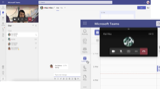
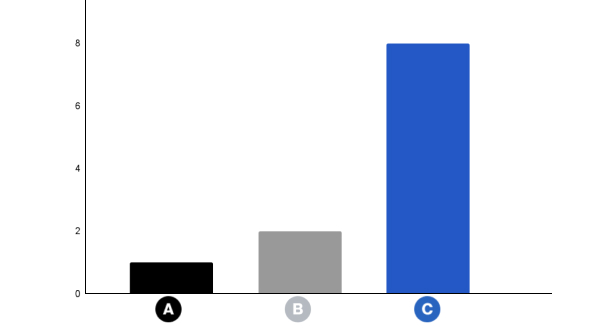
Unmoderated test on 11 participants who were given 3 prototypes task.

Result & Analysis
73% of users preferred prototype C (window + multi window) that includes most essential controls only.
Findings
Multitasking is important to users - widget with essential controls allows users to be connected to the meeting at all times.

Main features
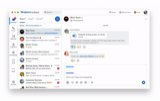
Messaging
OTT + SMS/MMS
1-1, Group, Channel Conversations
Direct 1-1 chat, group chat, or open/private channel
File & Media Transfer
Easily share files, images, audio clips, gifs or contacts within any chat conversation.
Organization + Search
Keep conversations streamlined with forwarding, copy, timestamps and message status. Search helps to find what is needed quickly and easily.
Customizable Settings
Set up communication and notification settings with customizable preferences.
SMS/MMS
Offering a unified platform with quick information sharing and enhanced reachability and customer engagement.
Calling
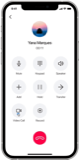
OTT Audio/Video Call + PSTN
Phone system features
- VoIP calling
- Audio to video call escalation
- App calling
- Call transfer, park, hold, etc
- Call recording
- Voicemail with transcriptions
- Barge calls
- Shared Line
- Extension dialing
- Call history
- Hunt groups
- Analytics and reporting
Profile + Social Presence
Share current availability and status to others within the organization
Informs others about user’s availability, focus, and current context; help to reduce interruptions and facilitate efficient communication.
Presence options
Available / Do not Disturb / Away / Offline can be set manually based on user needs.
Custom Status
Enables users to convey important info to teammates without messaging. It enhances understanding of availability and context while minimizing interruptions for efficient communication.

Global Search
Centralized Retrieval
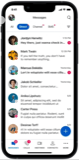
Find info across chats, calls, meetings, and files from one search bar.
Quick Actions
Forward, bookmark, or download with one-click results.
Preview & Scalability
Search active and archived messages, previewing for discovery.
Advanced Filters
Precise results with category-based filters.
Visible Queries
Retrieve effortlessly based on keywords, contacts, and topics.
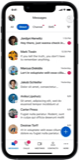
Multi-Tasking
Enhanced Work Flexibility
Simplify task management and prioritize responsibilities effortlessly.
Timely Reminders and Notifications
Eliminate concerns about missing important moments for messages, calls, or meetings with prompt alerts.
Custom Workspace and Intuitive UI Controls
Customize work environments by rearranging widgets and panels, ensuring a user-friendly experience that aligns with individual needs.

Challenges
No clear roadmap
Work closely with PM, conducting competitor analysis and user interview to prioritize features and functionalities. Frequently sync up with product and engineer team to make sure there's no knowledge gap.
Unexacting user testing result
In the multitasking scenario, we initially planned to have video meetings in a separate window. However, user tests favored a different approach. After extensive discussions and further evaluations, a final decision emerged, integrating insights from internal teams and additional feedback.
Time management & delay of decision changes
Due to a tight timeline, product, design, and development operated concurrently. Given that any alteration impacted the workflow, it was crucial to maintain constant communication and ensure alignment among all involved parties.
Limited resources and the onboarding process for new designers
Establish a streamlined and comprehensive design system and guidelines, fostering efficient and accurate utilization.
New add-on functionalities
Just like dressing up a child with a collection of luxury items, aiming for harmony with the child's personality and among the items. The challenge was to seamlessly integrate new functionalities to transform the existing platform into a unified communication app.
What's Next
AI Integration
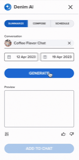
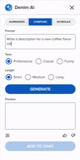
To assess the value and utility of AI for users, we conducted a survey querying testers' opinions on various messaging aspects, including drafting and modifying messages. The findings revealed that features such as messaging summaries, drafting assistance, and adjusting message length/tone were highly favored by over 80% of the participants.
Summary
Generate chat/call/meeting summaries based on user’s chat history, meeting/call recordings.
The AI summary feature saves time, increases productivity, and enables better decision-making by providing key insights, identifying key topics of discussion and action items associated with people.
Compose
Generate a message with a text prompt that is relevant, accurate, and tailored to the user's needs and also change its tone and length.
This feature saves users time and effort by automating the process of drafting messages, enabling them to focus on other tasks. A great way for users to communicate more effectively and efficiently.

BlueJeans Comm Suite
All-in-One Communication App across Platforms.